Cabales and Cabales: Getting the Most from a Dual Sans Serif and Serif Font Duo
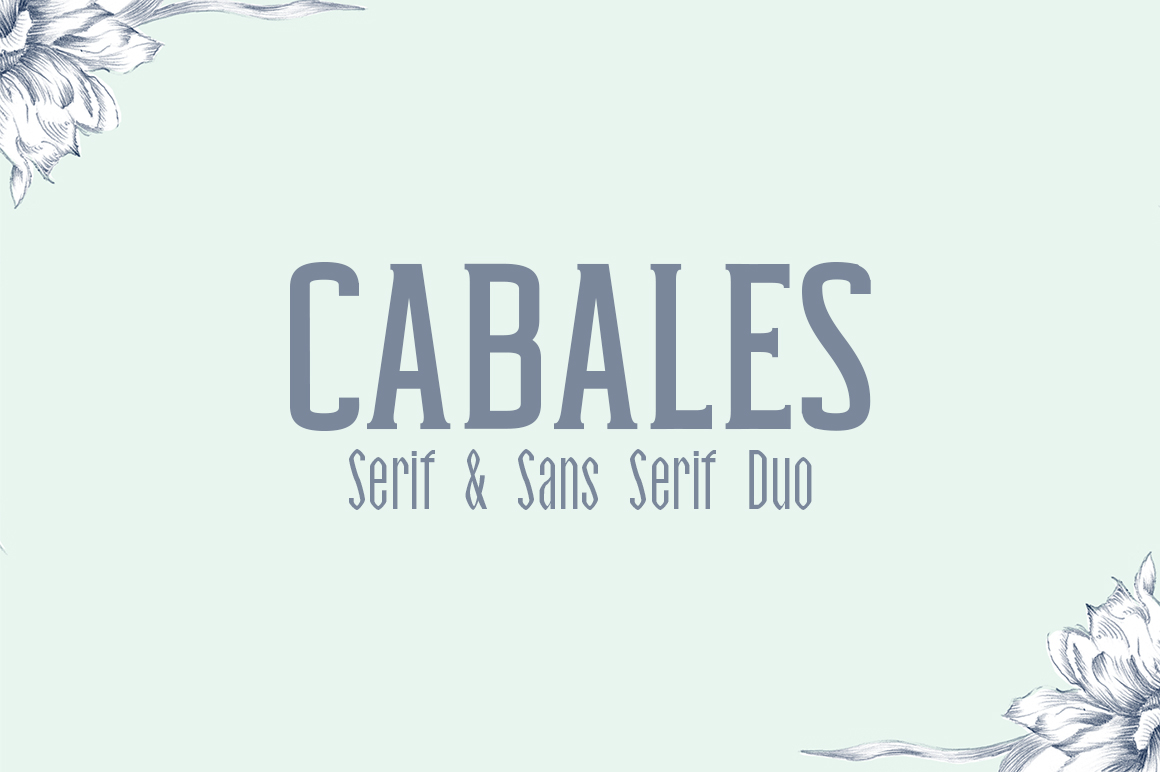
You have likely seen that clean, confident look in branding or packaging—a word set in all capitals with generous spacing, radiating understated elegance. That may have been Cabales at work. Cabales and Cabales is a dual font system that pairs a sans serif and a serif face, designed specifically for titles, quotes, logos, and even body text. While it appears straightforward, this font duo rewards thoughtful use and punishes shortcuts. Many designers, entrepreneurs, and content creators stumble on the same subtle mistakes, missing the polish Cabales can deliver. This article walks through those common missteps and shows you how to avoid them.
A Quick Look at Cabales and Why It Matters
Cabales is not just a single font; it is a coordinated duo of two weights and styles—one clean sans serif and one refined serif—that work together harmoniously. The sans version offers a modern, uncluttered silhouette, while the serif variant introduces a touch of tradition and warmth. On their own, each stands out. Together, they create a flexible toolkit for everything from a luxury brand logo to a product label or a magazine headline. What makes Cabales especially distinctive is its design intention: it shines in an all-caps setting with wide tracking, producing a classy, airy look that feels both sophisticated and accessible.
Beginners and seasoned professionals alike are drawn to Cabales for its versatility. But that versatility also means there are several ways to misuse it, diminishing the quality of your work without realizing it. Let us look at the most common pitfalls.
Mistake 1: Ignoring the All-Caps, Wide-Spacing Sweet Spot
The most frequent error is setting Cabales in lowercase or in default tracking. The font was crafted to excel in uppercase with generous letter spacing. When you leave it in lowercase or tighten the spacing, you lose the elegant rhythm that makes Cabales stand out. The characters feel cramped, and the overall effect becomes ordinary.
You may think, "I will just use it like any other font," but that is exactly where the trouble starts. Cabales is not an everyday body font at default settings. It is a deliberate design choice. When you treat it generically, you erase its personality.
How to Fix This
Always start by setting your text in all caps. Then increase the tracking—sometimes by as much as 100 to 200 units (depending on your software). Experiment with the spacing until each letter has room to breathe. For headlines and logos, this wide tracking is essential. For body text, you can reduce it slightly, but keep the uppercase format unless the design truly calls for lowercase. When you do use lowercase, treat it as a deliberate accent, not the default.
Mistake 2: Mixing the Sans and Serif Without a Clear Purpose
Cabales gives you two distinct voices: the sans is clean and modern, the serif is classic and warm. The mistake is using both in the same piece without a logical hierarchy. You might put a headline in sans and a subhead in serif, but if they are both in the same size, same weight, and same color, the viewer sees confusion, not contrast.
Another common error is using the serif version for large headlines and the sans for small body text, which can create an imbalance. The serif, with its small details, can get muddy at small sizes, while the sans may look too stark at large sizes if not tracked properly.
A Better Approach
Define a clear role for each font before you start. Usually, the sans serif works beautifully for primary headlines and logos because of its clean, bold presence. The serif is ideal for secondary headlines, pull quotes, or shorter body passages where you want a touch of elegance. Keep the serif at a slightly larger size or with more leading to preserve its readability. And never use both styles in the same line or same word unless you are creating a deliberate accent—and even then, do it sparingly.
Think of the sans as the anchor and the serif as the accent. When you respect that relationship, the duo feels intentional and polished.
Mistake 3: Overlooking Contextual Alternates and Special Characters
Cabales includes a range of contextual alternates, ligatures, and special characters that many users ignore. These are not decorative extras; they are part of the font's design system. The default characters may not include the stylistic swashes or alternates that make a wordmark or headline truly distinctive. By not activating these, you are settling for a less finished look.
This is especially relevant for logos, monograms, or any text that needs to feel custom. If you have ever seen a Cabales headline that looks too plain, it is very likely the designer did not explore the OpenType features.
What to Check
In your design software, open the Glyphs panel or the OpenType menu. Look for alternates, stylistic sets, and ligatures. For the serif version, there may be elegant swashes or alternate letterforms that add flair to initial capitals. For the sans, there may be simplified alternates that enhance readability at small sizes. Test a few options and see how they change the feel of your text. These small details separate a generic font use from a crafted design.
Mistake 4: Using Cabales at the Wrong Sizes
Because Cabales looks so refined at large sizes, people sometimes try to use it for small body text at default tracking. The result is often hard to read. The wide letterforms and generous spacing that work at 48 points become sparse and choppy at 10 points. Similarly, using it at very large sizes without adjusting the spacing can make the letters feel disconnected.
Size Guidelines That Help
For headlines, logos, and display purposes, Cabales performs best at 24 points and above. This is where the all-caps, wide-tracking approach delivers its full impact. For body text or subheadings, use the serif version at 14–18 points with tighter but still intentional tracking. For small labels or captions, the sans version at 10–12 points with moderate tracking is usually the safest choice. Always test your text at the actual output size before finalizing.
Mistake 5: Pairing Cabales with the Wrong Supporting Fonts
One of the advantages of Cabales is that it is a duo—you do not always need a third font. But many designers still add a second typeface and end up with a clash. Cabales has a particular character: it is neither overly geometric nor overly humanist. If you pair it with a font that is too ornate or too playful, the combination feels disjointed. I have seen Cabales paired with a grunge slab serif or a script that completely overwhelms the classy tone Cabales brings.
Safer Pairing Strategies
You are almost always better off using only the Cabales duo for a project. If you need a third font, choose something neutral and minimal: a simple sans like Open Sans or a straightforward serif like Georgia. Keep the third font in a supporting role—footnotes, captions, or small metadata. The goal is to let Cabales remain the focus. Test the pairing in context and see if the extra font adds clarity or just noise.
Mistake 6: Buying or Downloading Cabales Without Checking the License
This is a practical but crucial mistake. Cabales is available through various foundries, and licensing terms differ. Some licenses cover only desktop use, others include web embedding, and others allow app or logo use. If you are a small business owner creating a logo, you need a license that covers commercial use in branding. If you are a blogger, you need web embedding rights for your site. Buying the wrong license can lead to legal issues or technical limitations later.
What to Verify Before You Purchase
Read the license page carefully. Confirm whether the license covers the number of users or installations you need. Look for details about embedding in PDFs, using in logo files, and hosting on web servers. If you are unsure, contact the foundry directly. A small extra cost upfront is far better than having to repurchase or redesign later.
Mistake 7: Forgetting to Test Both Fonts in Context
A surprising number of people download Cabales, use the sans for a headline, and never try the serif. Or they test only one weight and assume the duo is not useful. This misses half of the font system's value. Similarly, testing only on screen without printing or viewing on different devices can hide readability issues.
Practical Testing Tips
Before you commit, set a short phrase in both the sans and the serif versions, at the sizes you plan to use, with the tracking you intend. View them on a monitor, a phone, and a printed page. Adjust the spacing and size until both versions look good in their intended roles. If you are designing a logo, test it at small scale (like a business card) and large scale (like a billboard mockup). This quick check prevents disappointment later.
Putting It All Together
Cabales and Cabales is a font duo that rewards attention to detail. When you honor its all-caps, wide-spacing design, use the sans and serif with clear purpose, explore its OpenType features, choose appropriate sizes, pair it sparingly, check your license, and test thoroughly, you get results that look intentional and professional. The mistakes above are common, but they are also easy to avoid once you know what to look for.
Whether you are a freelancer creating a brand identity, a marketer designing a campaign headline, or a small business owner building a website, Cabales can elevate your work. Treat it with the same care you would give any quality tool, and it will deliver the classy, polished look you are aiming for.
Start with the uppercase format. Open up that tracking. Let each letter stand with confidence. And when you do, you will see why Cabales has earned its place in so many thoughtful designs.