Why Jaavon Deserves a Place in Your Typography Toolkit
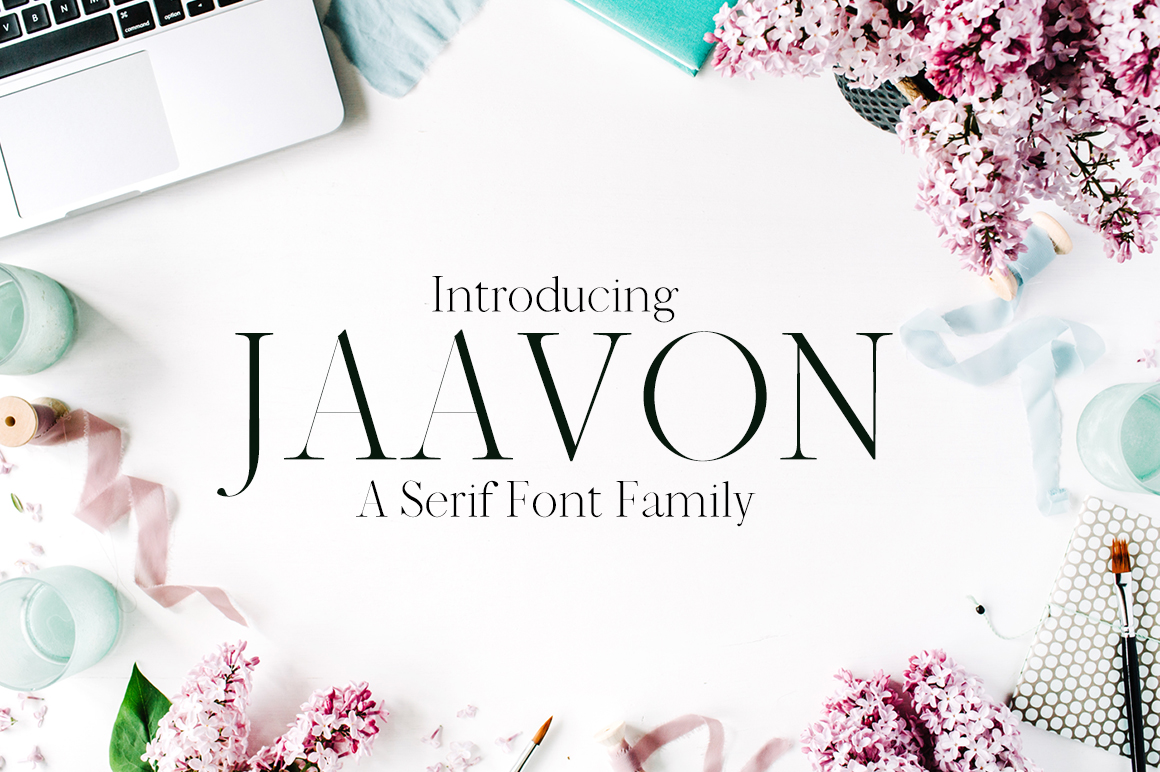
If you have been searching for a typeface that bridges modern minimalism with enduring classical charm, the Jaavon Serif Font Family might already be on your radar. It offers a range of weights and styles that promise versatility without sacrificing clarity. Yet, as with any tool, the real value emerges only when you use it with intention. After working with Jaavon on several projects—from branding to editorial layouts—I have observed recurring pitfalls that can undermine its potential. Let’s walk through what to watch for and how to get the best from this font family.
Mistaking Minimalism for Simplicity
It is easy to assume that a minimal serif like Jaavon is “simple” and therefore forgiving. But minimalism in typography is not an absence of detail; it is a deliberate reduction that demands precision. A common mistake is treating Jaavon as a set-it-and-forget-it choice, especially for body text. Without careful attention to spacing, tracking, and line height, even a clean serif can feel cramped or loose.
For instance, using Jaavon ExtraLight for long paragraphs without adjusting the leading can cause the text to appear fragile and hard to read. The delicate strokes need breathing room. A better approach: test the font at your intended size early. If the default line spacing feels tight, increase it by a few points. You might also consider using Jaavon Regular or Medium for body copy and reserving lighter weights for headings or captions.
Neglecting the Right Weight for the Right Task
Jaavon includes a variety of weight options—from Thin to Black—but not every weight works well in every context. I have seen designers reach for Bold when they need contrast, only to end up with headlines that overpower the layout. Similarly, using the Light weight on a light background can result in poor legibility, especially on screens.
The corrective habit is to think in terms of hierarchy. Jaavon’s weight spectrum is your ally, but only if you map each weight to a specific role. For example:
- Thin to Light: Best for large display settings, subtle accents, or low-copy elements
- Regular to Medium: Ideal for body copy and smaller text
- SemiBold to Black: Use for strong headings, callouts, and brand signatures
Before you commit, print or preview the chosen weights together in a mock layout. This will reveal whether your hierarchy is clear and readable.
Overlooking the Classical Roots of Jaavon
The Jaavon Serif Font Family blends modern sensibility with classical appeal, but some users treat it as a purely contemporary font and pair it with elements that conflict with its subtle serif heritage. For example, forcing it into an ultramodern, futuristic design without any traditional reference points can make the typeface feel out of place. The result is a disconnect between the font’s inherent warmth and the surrounding coldness of the layout.
Instead, honor Jaavon’s classical influence by incorporating complementary design choices—such as a slightly off-white background, generous margins, or a simple decorative ornament. When used on a business card or website header, pairing Jaavon with a classic sans-serif like Helvetica or a humanist sans works well because it respects the serif’s roots while keeping the overall look fresh.
Downloading from Unverified Sources
One of the most overlooked steps is verifying where you obtain Jaavon. Free download sites often offer incomplete versions—missing key weights, lacking proper kerning, or embedding hidden license restrictions. Using such a font can lead to inconsistent rendering, missing characters, and even legal risk if you use it commercially.
Always check whether you have the correct license for your intended use (personal, desktop, web, or app). If you are purchasing Jaavon, do so from the original foundry or a reputable distributor like MyFonts or Fontspring. If you are trying a free version, confirm that it includes all the features you need—language support, ligatures, and the full weight range. A missing weight can force you into a compromise that affects your entire design.
Failing to Adjust Kerning and Tracking for Display Sizes
Jaavon’s default spacing is tuned for general use, but it may need refinement at larger sizes. A headline in Jaavon Black can accumulate awkward gaps between certain letter pairs if you rely on automatic kerning. This is a subtle issue, but once you notice it, the design feels less polished.
A practical fix is to manually adjust tracking (letter-spacing) and kernel problem pairs individually in your design software. For display settings, tightening the tracking slightly can give Jaavon a more refined appearance, while loosening it can lend an airy, modern feel. Test your headline at the actual output size—print or screen—before finalizing.
Ignoring Line Length and Contrast in Long Passages
Serif fonts like Jaavon have been used for centuries in print because they guide the eye along the line. But on digital screens, especially with narrow columns, a long line of Jaavon can tire readers. I have seen blog posts using Jaavon at 16px with a 70-character line length, which is reasonable—but when combined with low contrast (light gray on white), the reading experience suffers.
Before you set Jaavon for body text, check the contrast ratio (aim for at least 4.5:1) and keep the line length between 50 and 75 characters for comfortable reading. If your background is colored, test the font at small sizes. Jaavon’s thin strokes may drop out in low contrast, forcing you to choose a bolder weight.
What to Check Before You Commit
Whether you are buying Jaavon or downloading a free version, take these steps early:
- Examine the full character set – Does it include accented letters, ligatures, and punctuation you need?
- Test the spacing – Try it in a sentence like “Jaavon works well for both headers and paragraphs.” Check for any odd gaps.
- Review the licensing – Can you use it on your website, in an app, or in a printed product? Is the license for one user or a team?
- Compare with alternatives – How does Jaavon stack up against other minimal serifs like Jost or Libre Baskerville? Sometimes another font may fit your particular project better.
By being thorough upfront, you avoid rework and disappointment later.
Making Jaavon Work for You
Jaavon and Jaavon Serif Font Family are not just decorative additions—they are tools that can elevate your work when understood. The key is to respect its minimalist character: give it space, choose weights deliberately, and honor its classical warmth. When you avoid the common pitfalls—weak weight choices, poor spacing, unlicensed downloads, and mismatched contexts—you unlock the font’s true flexibility.
Start small. Use Jaavon in a single project, like a one-page brand guide or a short article layout. Observe how it behaves at different sizes and on different devices. Then iterate. Over time, you will develop an intuition for when to reach for Jaavon and when to pair it with something else. That judgment is what separates a competent design from a truly effective one.
Jaavon is more than a pretty serif—it is a deliberate choice. Make yours wisely.