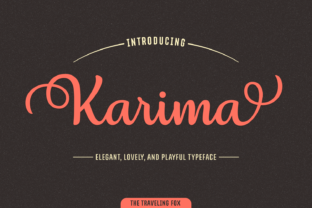
Karima: A Script Font Built for Process-Driven Design Workflows
When you are selecting type for a project, the decision often comes down to more than aesthetics. You need a font that fits your process, adapts to different formats, and delivers consistent results across languages and platforms. Karima is a script font designed with this kind of practical use in mind. It offers over 1,000 unique glyphs, support for multiple languages, and more than 20 stylistic alternates that let you create a custom look without starting from scratch each time. Whether you are a graphic designer, a small business owner producing your own marketing materials, a publisher laying out a book, or a freelancer handling branding projects, Karima can become a reliable part of your toolkit. The question is how to integrate it into your workflow so that it saves time, improves quality, and gives you the flexibility you need for different tasks.
Understanding What Karima Brings to Your Process
Before you start using any font, it helps to understand its capabilities and how they align with the way you work. Karima is not a single-use typeface. It is a system of characters, alternates, and stylistic sets that can be applied in many contexts. The fact that it supports over 1,000 glyphs means you have access to a wide range of letters, ligatures, punctuation, and special characters. This is particularly useful when you are working on projects that require non-standard typography, such as branding materials, invitations, or editorial layouts where every character needs to feel intentional.
The multi-language support is another practical consideration. If your workflow involves creating content for different regions or audiences, having a font that handles multiple scripts natively reduces the time spent searching for compatible typefaces or fixing rendering issues. You can pick Karima and know that it will work across your projects without needing to switch fonts for different languages.
The stylistic alternates are where Karima really fits into a creative process. With over 20 alternates, you can vary the appearance of your text without changing the font itself. This is valuable when you are iterating on a design or when you need to differentiate pieces within a single project. For example, you might use one alternate for headings and another for body text, or you might apply different alternates to each piece of a suite of marketing materials to keep them visually connected but distinct.
Using Karima Before a Project: Planning and Preparation
The best time to decide on a font is before you start the creative work. Integrating Karima into your preparation phase helps you avoid mid-project font searches or last-minute substitution that can break a design concept. When you are planning a project, consider what the text will need to communicate, what formats it will appear in, and how much variation is required. Karima works well for projects where a handcrafted, elegant, or distinctive script look is appropriate, such as branding, event materials, packaging, editorial headers, and social media graphics.
Another factor to prepare for is compatibility. Karima integrates smoothly with most design software that supports OpenType features, including Adobe Illustrator, InDesign, Photoshop, Affinity Designer, and Canva. Before you begin, check that your software can access the stylistic alternates and other OpenType features. This ensures you can use the full range of glyphs without needing workarounds. If you are working with a team, share the font file and a quick guide on how to access alternates so everyone is aligned from the start.
Organization also matters. Build a naming system for your alternates or create a library of Karima variations for different use cases. For example, you could set up a folder with preset character styles for headings, subheadings, and accents. This preparation upfront means you spend less time experimenting during the project and more time executing.
Using Karima During a Project: Implementation and Iteration
When you are in the middle of a project, speed and consistency become priorities. Karima helps on both fronts. Because the font includes so many alternates, you can test different looks quickly by switching between styles without leaving your design tool or re-drawing letters. This is especially useful during the exploration phase when you are trying to find the right voice for a piece of text. Instead of manually adjusting each character, you select a stylistic set and see the effect immediately.
Another practical use during a project is applying Karima to layouts that require a lot of text. The font is designed to be legible even in script form, which means you can use it for longer passages, such as quotes, callouts, or narrative sections, without worrying about readability. When you set text, pay attention to tracking and leading. Script fonts often require more space between lines and slightly looser letter spacing to maintain clarity. Adjust these settings early in your layout to avoid rework later.
Karima also interacts well with other design elements. If you are combining it with a sans-serif or serif font, the contrast can be striking. Use Karima for display text and a simpler font for body copy. This gives your design hierarchy and flow. When you pair fonts, test them together in the actual layout rather than relying on previews. See how Karima looks next to your chosen secondary font across different sizes and weights. This kind of testing during the project catches compatibility issues before they become problems.
Workflow example: Imagine you are designing a set of social media templates for a client. You create a base template with Karima in the header using one alternate set. For each new post, you switch to a different alternate to create variety while keeping the brand consistent. This approach saves you from building a new layout every time and ensures the client sees a unified but dynamic suite of graphics.
Using Karima After a Project: Quality Control and Long-Term Use
Once a project is finished, the font still plays a role. Reviewing your final output with Karima in mind helps you ensure quality. Check that all stylistic alternates applied correctly, that no glyphs are missing, and that the font renders properly across different devices and platforms. If you are delivering files to a printer, confirm that Karima is embedded or that the printer has access to it. Script fonts can have unexpected issues in print if the software substitutes a missing glyph incorrectly.
For long-term use, building a library of Karima-based templates and style guides gives you a head start on future projects. When you create a new design, you can pull from your existing work rather than starting from scratch. This is especially useful for freelancers and small business owners who produce similar types of content regularly. For example, if you design wedding invitations, you can use Karima across multiple orders, varying the alternates and colors to make each one feel unique without redesigning the typography system each time.
Another long-term observation is that Karima works well in a brand ecosystem. If you own a business or manage a brand, standardizing on a font like Karima for select uses creates consistency. You can use it for logo text, taglines, packaging headers, and website accents. Over time, the audience begins to associate the script style with your brand. This is not about overusing the font, but about using it deliberately in the places where a handcrafted look supports your message.
Practical Implementation Tips for a Smooth Workflow
Integrating Karima into your routine does not require a major overhaul. Here are some specific ways to make it part of your process without friction:
- Set up your software to use OpenType features. In most design applications, you can access stylistic alternates through the OpenType panel or the character options. Learn where these controls are before you need them so you can switch sets quickly during a project.
- Create a character style for each alternate. If your software supports character styles, save each stylistic set as a named style. This lets you apply it to selected text in one click and maintain consistency across a document.
- Test Karima in your most common output formats. Whether you are exporting for web, print, or video, run a test file through your typical export settings to see how the font behaves. This catches rendering issues early.
- Use Karima for non-obvious applications. Beyond display text, try it for pull quotes, drop caps, captions, or even short body sections. The glyph variety gives you options for these smaller roles that can elevate a layout.
- Combine Karima with a neutral secondary font. A simple sans-serif like a geometric or humanist typeface usually pairs well. The contrast between the script and a clean sans keeps the design balanced.
Another tip relates to file management. Keep Karima installed and organized in your font manager so you can access it quickly. If you work with a team, make sure the font is shared via a centralized asset library or cloud storage so everyone uses the same version.
How Karima Fits into Different Creative and Business Workflows
The font is not limited to traditional graphic design. Here are a few scenarios where Karima can be integrated into broader professional routines:
Small business owners and entrepreneurs: If you produce your own marketing materials, Karima can be the consistent typographic voice for your flyers, email headers, social posts, and product packaging. Using one font family across these channels reduces design time and strengthens brand recognition.
Publishers and bloggers: For editorial projects, Karima works well for headers, chapter titles, and highlighted quotes. Its multi-language support means you can use it in publications that include different languages without switching fonts. This is a practical efficiency gain when you are dealing with multilingual content.
Freelance designers and agencies: When you have multiple clients, each with a different visual identity, Karima gives you a versatile tool that can be adapted to each brand through its alternates. You can use one font for many projects by varying the alternates, which simplifies your font library and reduces licensing complications.
Hobbyists and creators: If you make handmade cards, digital art, or custom products, Karima adds a polished script look without requiring advanced lettering skills. The alternates give you room to experiment and find a personal style.
Observations on Efficiency, Consistency, and Long-Term Value
One of the most useful aspects of Karima is how it balances variety with consistency. You can create many different looks from one font file. This means you do not have to buy, download, learn, and manage multiple script fonts. Over a year of regular use, that translates into less time spent on font admin and more time on actual design work. For professionals who value efficiency, this is a tangible benefit.
Consistency is another factor. When you use the same font family across projects, your work develops a subtle cohesion. This is not about every project looking the same, but about having a reliable base that you can modify with alternates, colors, and layouts. Over time, the quality of your typography improves because you are not always adapting to a new font's quirks.
Finally, consider the long-term value of a font with over 1,000 glyphs. As your skills grow and your projects become more diverse, you will keep finding new uses for the alternates and characters. A font that grows with you is an asset worth integrating into your workflow now, not something to save for later.
Karima is not just a stylish script. It is a practical tool designed to support how people actually work across different projects, formats, and contexts. By understanding its capabilities, setting it up thoughtfully, and using it consistently, you can make it a seamless part of your process that improves both efficiency and output quality.