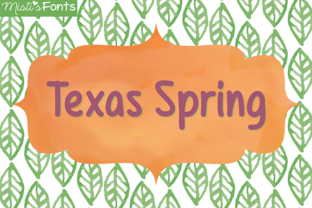
Texas Spring: A Clean and Simple Font for Real Projects
Whether you’re formatting a blog header at two in the morning, laying out a product label for a new small-batch candle, or just trying to make a birthday invitation look polished without hiring a designer – you’ve probably spent too much time scrolling through font lists. You want something that actually works. Not too fussy, not too plain. Something that reads well, scales nicely, and doesn’t scream for attention. That’s the kind of space where Texas Spring fits. This clean, simple typeface is built for people who need reliable results without the decorative noise. Let’s talk about where it shines, who uses it, and why it might be the one you keep coming back to.
What Texas Spring Actually Is
Texas Spring is a straightforward, no‑frills font designed with clarity and readability in mind. Its letterforms are open and evenly spaced, which means it works in both large display settings and smaller body text sizes. It doesn’t rely on heavy contrast or exaggerated serifs – instead, it stays neutral and approachable. This makes it a strong choice when you need text to be understood quickly, whether that’s on a website button, a flyer headline, or a label on a glass jar. The simplicity isn’t about being boring; it’s about giving you a dependable tool that adapts to your content rather than competing with it.
Where People Use Texas Spring Most
Because the font is clean and unobtrusive, you’ll find Texas Spring across a surprisingly wide range of projects. A few of the most common settings include:
- Website and blog headers – especially for personal brands, lifestyle sites, and small online shops where a friendly but professional tone matters.
- Product packaging – think artisan soap labels, coffee bags, or honey jars that need to look handmade yet legible.
- Social media graphics – Instagram quote cards, Facebook event banners, and Pinterest pins where readability on mobile is critical.
- Presentations and slide decks – internal team updates, pitch decks, or workshop materials where you want attendees to absorb information, not analyze letterforms.
- Educational handouts – worksheets, study guides, and classroom posters where clarity for students (and tired teachers) makes a real difference.
- Printables and DIY projects – wedding seating charts, save‑the‑dates, scrapbook titles, and even resume headers.
The Freelancer or Designer
If you take on branding projects for small businesses, you’ve probably learned that clients don’t always need wild typography. Often they need something versatile that can work across a logo, a website, and a brochure. Texas Spring gives you a reliable workhorse. Use it for the tagline underneath a more decorative logo mark, or set it as the primary typeface for a minimalist brand. Because the font is simple, it pairs well with script fonts, bold sans‑serifs, or even handwritten elements. That flexibility saves you time – you can present multiple mockups without worrying whether the type will break at different sizes.
The Small Business Owner
When you’re running a side hustle or an established local shop, every design decision needs to be practical. You might design your own labels or order signs from a print shop without a graphic designer. Texas Spring works because it’s easy to use in any common software – Word, Canva, Pages, even Google Docs. The spacing is consistent, so you don’t have to manually adjust kerning. A baker using Texas Spring on a menu sign helps customers read “sourdough loaf” quickly. A candle maker using it on a care label ensures burn instructions are clear. The font doesn’t try to be a character; it gets out of the way and lets your product speak.
The Blogger and Content Creator
Headlines, subheadings, pull quotes – blog layout can turn into a typography nightmare if your font choices clash. Texas Spring creates a calm, consistent structure. Many bloggers use it for post titles because it stays readable even when the text is angled on a featured image. Others apply it to email newsletters, where the simple shapes help avoid rendering issues across different email clients. If your audience includes readers on smartphones, the open letterforms reduce the chance that small text blurs together. That’s the kind of practical benefit that keeps readers moving down the page instead of squinting and bouncing.
The Educator and Trainer
Teaching materials need to communicate information without visual clutter. Worksheets, slide handouts, and anchor charts all benefit from a font that doesn’t distract. Texas Spring works especially well for elementary‑level materials because the letters are easy to recognize. A teacher creating a spelling list or a math problem set can copy‑paste the font directly into a template and print without fuss. For adult education or corporate training, using a clean typeface like Texas Spring on a slide deck reduces cognitive strain – participants focus on the data, not on deciphering fancy typography.
The Hobbyist and Everyday User
Not everyone needs to design for a living, but most of us make invitations, flyers, or personalized gifts at some point. Texas Spring is available as a simple download (usually in OTF or TTF format) and installs quickly. If you’re making tea party invitations or a garage sale sign, this font helps you look put‑together without effort. The simplicity also works for resumes – especially for traditional fields – because hiring managers tend to appreciate readable fonts that don’t break applicant tracking systems.
When You Should Choose Texas Spring Over Other Fonts
The decision to use Texas Spring often comes down to three factors: clarity, neutrality, and compatibility. Reach for it when:
- You need text that stays readable at very small or very large sizes (think labels or banners).
- Your project blends photography or illustrations with text – the font won’t compete with visuals.
- You’re unsure about your audience’s device or print quality – Texas Spring holds up well on budget paper and low‑res screens.
- You want a font that works in all caps for short headlines without looking aggressive or cramped.
On the flip side, if you need a display font with a strong personality, Texas Spring isn’t that. It’s not meant to be the star. It’s meant to be the supporting cast that makes your message understood – and sometimes that’s exactly what you need.
Licensing and Formats
Always check the license before downloading. Many free font sites offer Texas Spring for personal use, but if you’re designing for a client or selling products that include the typeface, confirm whether you need a commercial license. Most distributors will indicate this clearly. Also note the file format – TrueType (TTF) and OpenType (OTF) are both widely compatible, but if you’re working in a specific app (like a Cricut design space or an online editor), verify that the format is supported.
Pairing with Other Typefaces
Because Texas Spring is clean and neutral, it pairs naturally with many other fonts. For a modern feel, combine it with a geometric sans‑serif like Montserrat or a soft rounded font. For a more classic look, use it alongside a refined serif like Caslon or Georgia. Avoid pairing it with another equally neutral sans‑serif – that can feel monotonous. The key is contrast: let Texas Spring handle the body text or small details while a more expressive font takes the main headline.
Adjusting Space and Size
In some applications, you may need to tweak tracking (letter spacing) or leading (line height) slightly. Texas Spring has decent default spacing, but if you’re setting it in all caps, consider adding a small amount of letter spacing to keep readability high. For body text, standard 12–14 pt works well for print, and 16–20 px is comfortable on screens. Testing a short sample on your intended medium – paper or screen – is always worth the extra five minutes.
Readability Across Languages
If your project includes accented characters or non‑English text, verify that the version of Texas Spring you have covers those glyphs. Many clean fonts now include Western European diacritics, but it’s safest to check a character map before building an entire presentation around it.
Real Outcomes You Can Expect
People who use Texas Spring consistently report that their projects come together faster. Because the font doesn’t require manual tweaking for every context, you spend less time adjusting and more time creating. A blogger might say their featured images now look cohesive. A small business owner might notice customers read product descriptions all the way to the call‑to‑action. A teacher might see that worksheets print clearly even on old classroom copiers. These aren’t dramatic transformations – they’re small, practical wins that add up week after week.
Texas Spring also helps you avoid the “busy” look that comes from mixing too many fonts. When you have a reliable default, you naturally limit your palette, which is a core principle of good design. The simplicity becomes a silent productivity booster: you stop second‑guessing your typography choices and start focusing on your actual message.
Final Thoughts on Texas Spring
Texas Spring isn’t a font that demands attention. It doesn’t have flourishes, sharp angles, or trendy quirks. What it does offer is consistency, legibility, and a quiet confidence that your text will be read. For creators, entrepreneurs, and educators who need to produce work that communicates clearly – without the headache of poor spacing or distracting letterforms – this clean typeface is a sensible, reliable option. Whether you’re drafting a newsletter, labeling a product, or laying out a lesson plan, Texas Spring handles the job quietly and gets out of your way. And sometimes that’s the best thing a font can do.